
Residential Scan to BIM Conversion Project
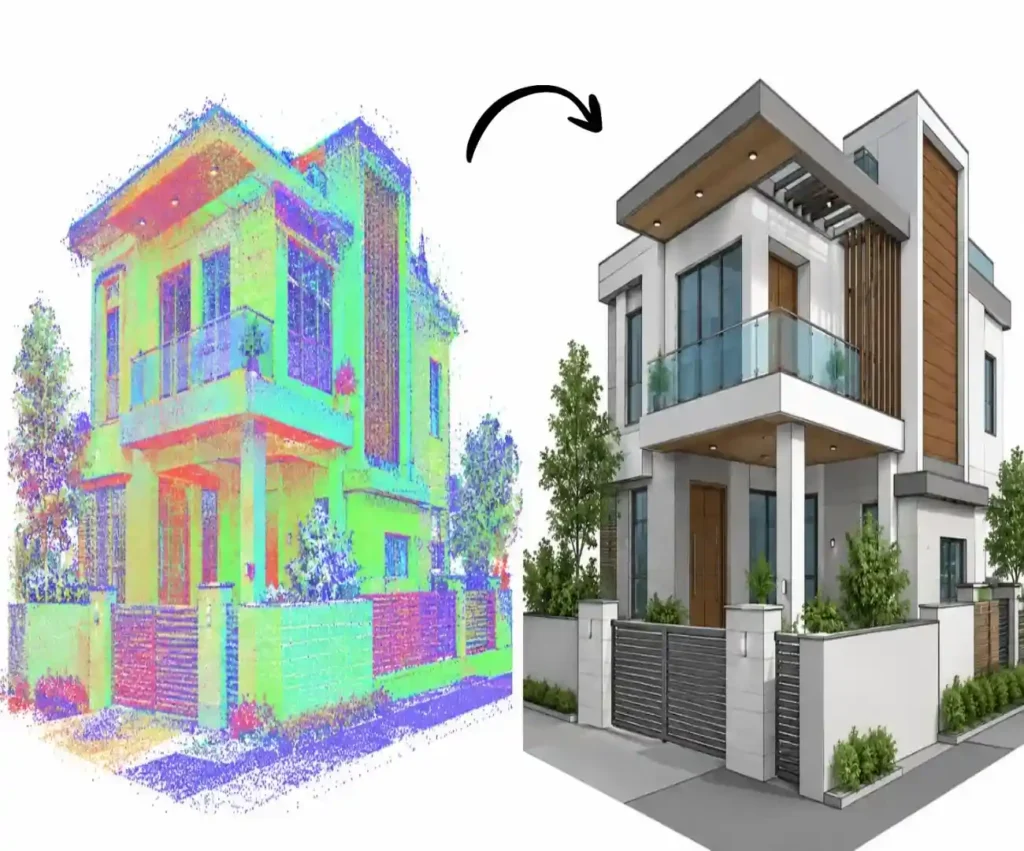
BIM Craft Hub converted point cloud data of a two-storey residential building into a detailed 3D BIM model. The project captured key architectural features, including balconies, windows, façade elements, roof projections, and boundary walls, supporting existing-condition documentation and future renovation planning.
Project Overview
This project involved converting point cloud data of an existing two-storey residential building into a detailed 3D BIM model. The scanned data captured the building’s existing architectural features, including walls, windows, doors, balconies, roof slabs, façade elements, boundary walls, and entrance gates.
BIM Craft Hub used the point cloud as a reference to recreate the building’s geometry and architectural details in a structured BIM environment. Special attention was given to the building façade, balcony projections, roof overhangs, exterior finishes, and openings to maintain consistency with the scanned conditions.
The final model provides a digital representation of the existing residence to support renovation planning, architectural design development, visualization, and future construction documentation.
| Details | Information |
|---|---|
|
Project Type |
Residential |
|
Project Location |
USA |
|
Project Scope |
Existing Building |
|
Built-up Area |
2,400 sq. ft. |
|
LOD |
LOD 300 |
|
Software Used |
Revit |
|
Services |
|
|
Input – Output |
Point Cloud – BIM Model |
Project Challenges and Our Approach
| Project Challenge | Our Approach |
|---|---|
|
Complex residential building geometry |
Analyzed the point cloud to understand the building layout and exterior geometry before modeling |
|
Capturing façade details |
Recreated visible façade elements, exterior finishes, and architectural features using the scan data |
|
Accurate window and door placement |
Used scanned information to position openings and maintain consistency with the existing building |
|
Modeling balconies and roof projections |
Carefully modeled balcony slabs, railings, roof overhangs, and projecting architectural elements |
|
Representing boundary walls and entrance gates |
Incorporated visible perimeter walls, gates, and entrance features into the BIM model |
|
Maintaining dimensional consistency |
Referenced the point cloud throughout the modeling process to minimize geometric discrepancies |
|
Handling landscaping around the building |
Represented relevant visible site and landscape features where required by the project scope |
|
Quality assurance |
Reviewed the completed model for missing elements, alignment issues, and inconsistencies with the scan data |
Get Your Point Cloud to BIM at Cost of $10/hour