Why Architects and Engineers Use Scan to CAD Services
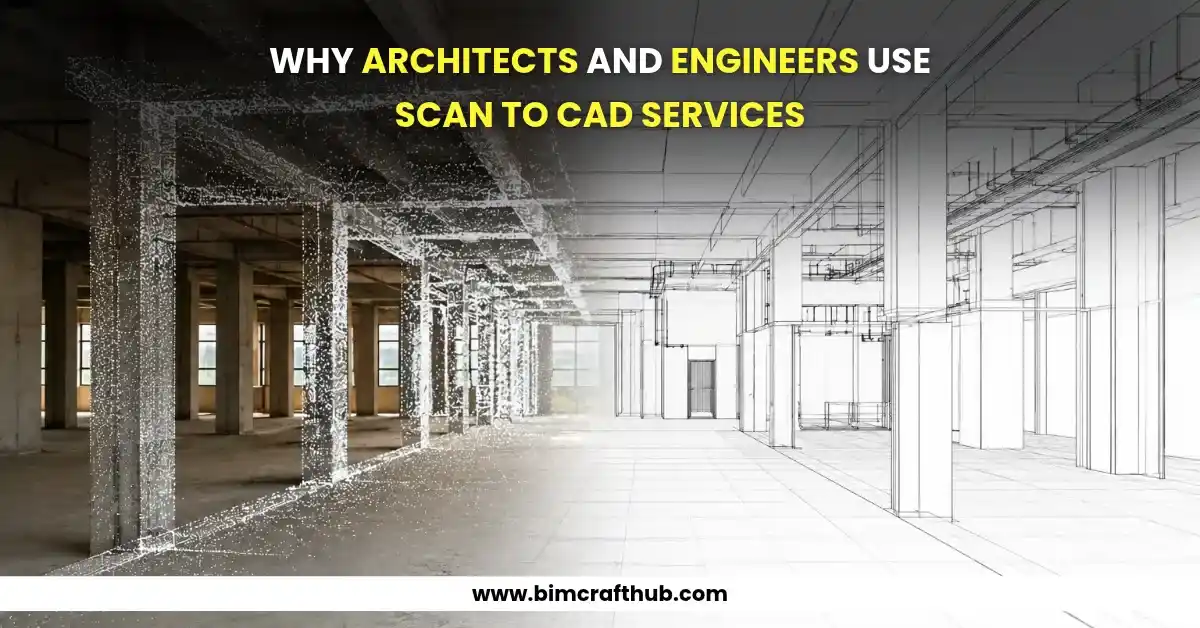
Architects and engineers often work with existing buildings that have incomplete drawings, outdated plans, or no reliable digital documentation. In these situations, scan to CAD services help convert laser-scanned data and point cloud information into accurate 2D CAD drawings that professionals can use for renovation, retrofitting, space planning, and construction documentation.
Instead of relying entirely on manual measurements, project teams can use 3D laser scanning to capture existing site conditions and convert the collected data into digital drawings. These drawings provide a clearer understanding of the building’s actual dimensions, layout, and structural features, helping professionals make informed design decisions.
What Are Scan to CAD Services?
Scan to CAD is the process of converting laser scan data, point clouds, or other suitable survey information into editable CAD drawings. These drawings are commonly prepared in software such as AutoCAD and may include floor plans, elevations, sections, reflected ceiling plans, and structural layouts.
The process typically involves capturing existing conditions, registering scan data, identifying relevant building elements, and tracing or modeling the required geometry in CAD.
For example, an architect renovating an older commercial building may need accurate floor plans and elevations before proposing a new interior layout. Scan to CAD conversion can help produce drawings based on the captured site conditions rather than relying on outdated construction documents.
Why Architects and Engineers Use Scan to CAD Services
1. Accurate Documentation of Existing Buildings
One of the main reasons professionals use scan to CAD services is to document existing conditions more accurately. Older buildings often have missing drawings, undocumented modifications, uneven walls, or structural elements that differ from the original plans.
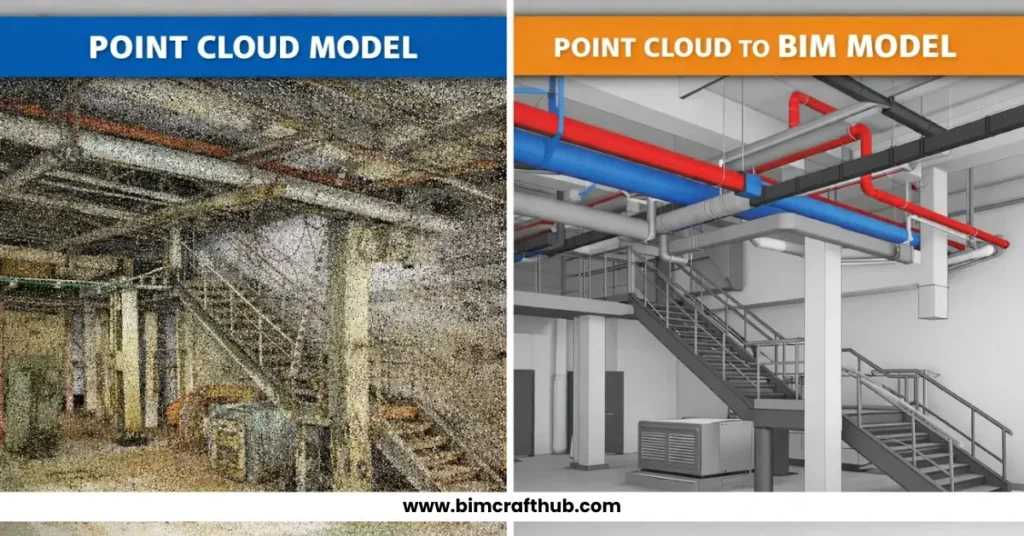
Laser scanners capture millions of spatial measurement points, creating a point cloud that represents the scanned environment. CAD technicians use this information to develop drawings that reflect the recorded geometry.
Consider a renovation project where an architect discovers that a corridor is narrower than the dimensions shown on an old floor plan. A drawing developed from verified scan data can help the design team account for this difference before finalizing the proposed layout.
However, drawing accuracy depends on scan quality, registration, project control, and the level of detail required. Scanning does not eliminate the need for quality checks.
2. Faster Renovation and Retrofit Planning
Renovation projects require reliable information about existing site conditions. Measuring every room, wall, opening, and building feature manually can be time-consuming, particularly in large commercial buildings or complex industrial facilities.
Scan to CAD workflows allow survey teams to capture substantial amounts of site information efficiently. Once the scan data is processed, CAD drawings can be prepared for architects, structural engineers, and other project stakeholders.
These drawings support decisions about space utilization, new partitions, equipment placement, and modifications to existing structures.
For instance, when planning an office refurbishment, a project team can use existing-condition CAD drawings to evaluate room dimensions, door locations, and available circulation space before developing the proposed design.
Also read: Benefits of Scan to CAD Conversion for Renovation and Retrofit Projects
3. Better Coordination Between Architects and Engineers
Architectural and engineering teams need consistent information about the same building. Inaccurate dimensions or mismatched drawings can create coordination problems during design development and construction.
Scan to CAD drawings provide a shared reference for reviewing existing walls, columns, openings, floor levels, and other visible building features.
Project discipline | How scan to CAD drawings help |
Architecture | Existing floor plans, elevations, and sections |
Structural engineering | Documentation of visible columns, beams, and structural layouts |
MEP engineering | Reference drawings for existing rooms, equipment spaces, and visible service routes |
Interior design | Room dimensions, openings, and existing layouts |
Construction | Existing-condition documentation for planning and site verification |
For example, an architect planning a new opening in an existing wall can use the drawings to coordinate the proposed design with the structural engineer. The engineer must still verify the structural system and any concealed conditions before approving the modification.
4. Reduced Manual Measurement and Rework
Traditional measurement methods remain useful, but they can become difficult to manage across large or geometrically complex sites. Repeated site visits, incomplete notes, and inconsistent measurements can delay drawing production.
Laser scanning captures a broader record of visible site geometry during the survey. This can reduce the need for repeated measurements when the required information is present in the scan.
Imagine a team documenting a large warehouse with multiple structural bays. Instead of measuring every visible feature independently, the survey team captures the facility as a point cloud. CAD technicians then extract the required dimensions and prepare drawings for the project team.
This approach can improve efficiency, although inaccessible areas, occlusions, and missing scan coverage may still require additional surveys.
5. Support for As-Built and Existing-Condition Drawings
Architects, engineers, property owners, and facility managers often need updated drawings after construction or building modifications. Original drawings may not reflect changes made during the building’s operational life.
Scan to CAD conversion helps create updated existing-condition documentation from current survey data. Depending on the available information, deliverables may include floor plans, elevations, sections, equipment layouts, and selected structural details.
These drawings can support future renovations, maintenance planning, space management, and design reviews.
It is important to distinguish between an existing-condition drawing and a verified as-built record. A scan-based drawing documents what was captured and interpreted; additional inspections and verification may be necessary to establish compliance with project requirements.
6. Cost-Effective Digital Documentation
Accurate digital drawings can help reduce avoidable drafting corrections and improve the efficiency of design development. The overall value depends on project size, scanning requirements, building complexity, and the level of detail needed.
The following factors commonly influence scan to CAD project costs:
- Size and complexity of the building.
- Quality and completeness of the point cloud.
- Number of floor plans, elevations, and sections required.
- Required drawing scale, detail, and CAD standards.
- File formats, layer organization, and delivery timeline.
For smaller projects, targeted scanning may be sufficient. Larger facilities may require multiple scan stations, registration, and more extensive drawing production. Defining the deliverables before work begins helps the project team estimate costs and avoid unnecessary drafting.
Scan to CAD vs. Traditional Measurement
Factor | Traditional measurement | Scan to CAD workflow |
Data collection | Individual measurements | Laser-scanned spatial data |
Site coverage | Depends on measurements taken | Captures visible surfaces within scan coverage |
Complex geometry | May require repeated measurements | Point clouds help document irregular geometry |
Digital deliverables | Drawn from field notes and measurements | Drawn from processed scan data |
Main limitation | Missed or inconsistent measurements | Occlusions, scan quality, and processing requirements |
Neither method is universally better. Traditional measurement may be practical for small spaces or simple projects, while laser scanning can be particularly useful for large, complex, or renovation-focused environments.
What Is the Typical Scan to CAD Workflow?
A reliable workflow generally follows these steps:
- Project assessment: Confirm the building areas, drawing types, required scale, and deliverables.
- Site scanning: Capture existing conditions using appropriate laser scanning equipment.
- Point cloud processing: Register and review the collected scan data for coverage and consistency.
- CAD drafting: Extract relevant geometry and prepare the required drawings.
- Quality assurance: Check dimensions, drawing completeness, layers, and consistency against the source data.
- Final delivery: Provide the agreed CAD files and supporting formats, such as DWG and PDF.
The workflow may vary depending on whether the project involves architectural documentation, structural layouts, or industrial facilities.
Choosing the Right Scan to CAD Service Provider
When selecting a service provider, architects and engineers should evaluate technical capability, drafting standards, quality-control procedures, and experience with similar projects.
Ask whether the provider can work with your available point cloud formats, follow your CAD layer conventions, deliver editable DWG files, and accommodate project-specific requirements. It is also helpful to agree on tolerances, drawing scales, exclusions, and the process for resolving unclear or missing information.
For teams handling renovation, refurbishment, or existing-building documentation, Scan to CAD Services can be a useful starting point for discussing project requirements and deliverables.
Conclusion
Architects and engineers use scan to CAD services to improve existing-building documentation, support renovation planning, coordinate design disciplines, and reduce avoidable measurement and drafting errors. By converting captured site information into editable CAD drawings, project teams gain a practical digital reference for design and construction decisions.
The best results come from combining reliable scan data, clear drawing requirements, experienced CAD drafting, and structured quality assurance. When these elements work together, scan to CAD conversion can make existing-condition documentation more consistent, useful, and efficient.